Compare the top budgeting applications to help manage your money and achieve financial goals.
Compare the top budgeting applications to help manage your money and achieve financial goals. Are you tired of living paycheck to paycheck? Do you dream of financial freedom but feel overwhelmed by where to start? Budgeting is the cornerstone of sound financial management, and in today's digital age, budgeting apps have become indispensable tools. They can help you track your spending, set financial goals, and gain a clear picture of your money flow. But with so many options out there, how do you choose the right one? This comprehensive guide will walk you through the five best budgeting apps available, comparing their features, pricing, and suitability for different financial needs, whether you're in the US or Southeast Asia.
5 Best Budgeting Apps for Financial Freedom
Why Budgeting Apps Are Essential for Modern Financial Management
In an increasingly complex financial landscape, simply knowing how much money you have isn't enough. You need to understand where it's going, how quickly, and whether it aligns with your long-term aspirations. Budgeting apps offer a streamlined, often automated, approach to this. They connect directly to your bank accounts, credit cards, and investment platforms, providing real-time insights into your financial health. This automation saves countless hours compared to manual tracking with spreadsheets and significantly reduces the chances of human error. For individuals and families navigating diverse economic environments like the US and the rapidly growing markets of Southeast Asia, these apps provide a universal solution to personal finance challenges. They empower users to identify wasteful spending, allocate funds effectively, and build a solid foundation for wealth accumulation.
Key Features to Look for in a Budgeting App for US and SEA Users
Before diving into specific recommendations, let's outline the critical features that make a budgeting app truly effective, especially for users in both the US and Southeast Asia. These considerations will help you evaluate each option based on your personal financial situation and regional needs.
Bank and Financial Institution Integration for Seamless Tracking
This is arguably the most important feature. A good budgeting app should securely connect to a wide range of banks, credit unions, and other financial institutions. For US users, this means compatibility with major banks like Chase, Bank of America, Wells Fargo, and regional credit unions. For Southeast Asian users, integration with local banks such as DBS, OCBC, UOB (Singapore), Maybank, CIMB (Malaysia), BDO, Metrobank (Philippines), BCA, Mandiri (Indonesia), and Kasikornbank, Bangkok Bank (Thailand) is crucial. The more seamless the integration, the less manual data entry you'll have to do, leading to more accurate and up-to-date financial tracking.
Customizable Budget Categories and Goal Setting for Personalized Finance
Every individual's financial situation is unique. The best apps allow you to create custom spending categories that reflect your lifestyle (e.g., 'Dining Out,' 'Groceries,' 'Transportation,' 'Entertainment,' 'Rent/Mortgage,' 'Utilities,' 'Savings,' 'Investments'). Beyond tracking, the ability to set specific financial goals – like saving for a down payment, a vacation, or retirement – and monitor progress towards them is vital. Look for apps that offer visual progress trackers and reminders to keep you motivated.
Expense Tracking and Reporting for Spending Insights
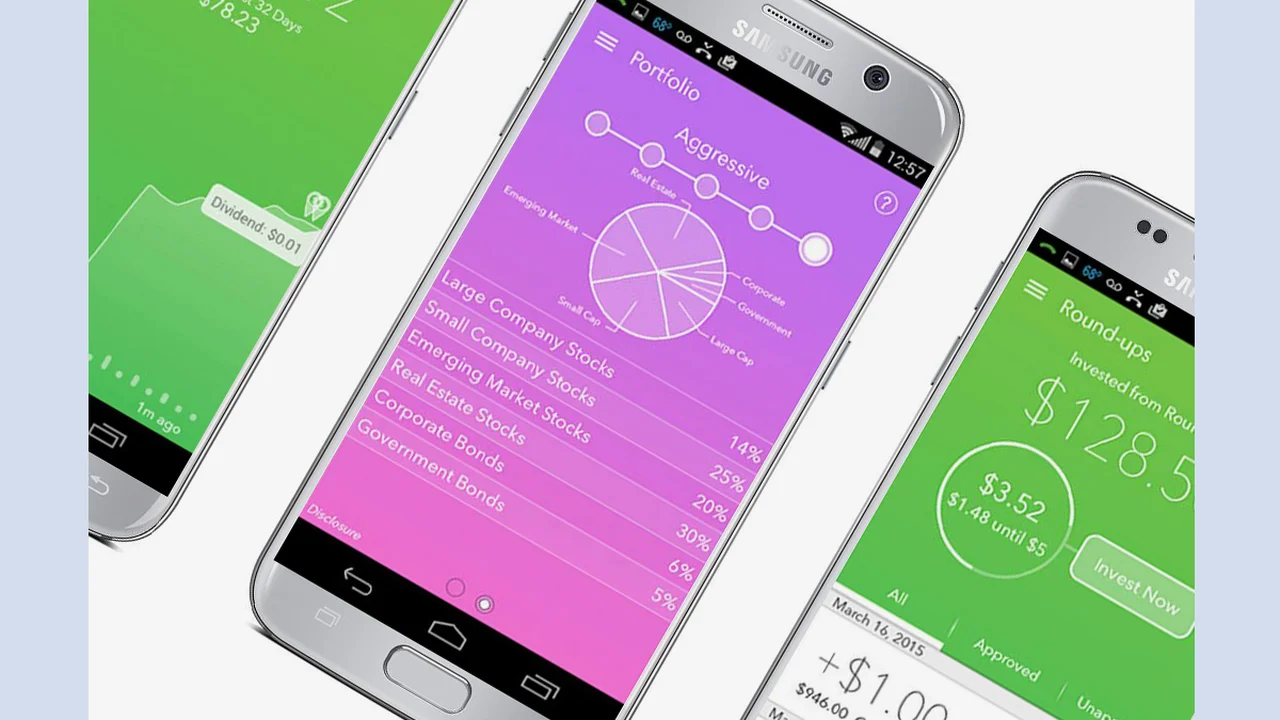
Beyond just listing transactions, a powerful budgeting app should categorize your spending automatically (or allow for easy manual categorization) and provide insightful reports. These reports might include pie charts showing where your money goes, trend analyses over time, and comparisons against your budget. This visual data is incredibly helpful for identifying spending patterns, areas for reduction, and overall financial health.
Bill Tracking and Reminders for Avoiding Late Fees
Missing a bill payment can lead to late fees and damage your credit score. An effective budgeting app will allow you to input recurring bills, set due dates, and send you timely reminders. Some advanced apps can even predict upcoming bills based on your spending history.
Net Worth Tracking for a Holistic Financial View
For a complete financial picture, an app should ideally track your assets (bank accounts, investments, property) and liabilities (loans, credit card debt) to calculate your net worth. Monitoring your net worth over time is a powerful indicator of your financial progress and overall wealth accumulation.
Security Features for Protecting Your Financial Data
Since these apps handle sensitive financial information, robust security is non-negotiable. Look for features like bank-level encryption (256-bit AES), multi-factor authentication (MFA), and read-only access to your accounts (meaning the app can see your transactions but cannot move money). Always ensure the app has a strong privacy policy and a good reputation for data protection.
Cross-Platform Availability for Accessibility
Whether you prefer to manage your finances on your smartphone, tablet, or desktop computer, the app should offer a consistent and user-friendly experience across all platforms. This ensures you can access your financial data whenever and wherever you need it.
Top 5 Budgeting Apps Reviewed for US and Southeast Asian Markets
Now, let's dive into our top picks, detailing their strengths, weaknesses, pricing, and ideal user profiles.
1. YNAB You Need A Budget The Zero-Based Budgeting Champion
YNAB (You Need A Budget) is not just an app; it's a budgeting philosophy. It champions the 'zero-based budgeting' method, where every dollar you earn is assigned a job. This means you proactively decide where your money goes before you spend it, rather than reacting to where it went. YNAB is renowned for its powerful features and dedicated community.
Key Features of YNAB for Proactive Budgeting
* Zero-Based Budgeting: Assigns every dollar a purpose, ensuring no money is left unaccounted for.
* Bank Sync: Connects to thousands of banks and financial institutions in the US and increasingly in Southeast Asia (e.g., Singapore, Malaysia, Philippines, Indonesia, Thailand via services like Plaid or direct integrations).
* Goal Tracking: Helps you set and achieve various financial goals, from debt repayment to saving for large purchases.
* Detailed Reporting: Provides comprehensive reports on spending, net worth, and income vs. expenses.
* Education and Support: Offers extensive educational resources, workshops, and a supportive community to help users master budgeting.
* 'Roll With The Punches': A flexible approach that allows you to adjust your budget categories as needed without guilt.
Ideal User Profile for YNAB
YNAB is best for individuals or couples who are serious about taking control of their finances and are willing to learn a new budgeting methodology. It's particularly effective for those who have struggled with traditional budgeting methods and need a more structured approach. Its strong educational component makes it suitable for beginners, while its depth of features appeals to experienced budgeters.
Pricing of YNAB
YNAB offers a 34-day free trial. After that, it costs $14.99 per month or $99 per year (which breaks down to $8.25 per month). While it's one of the pricier options, many users find the value it provides in financial clarity and savings far outweighs the cost.
Specific Product Recommendations and Use Cases for YNAB
* Scenario: A young professional in Singapore wants to save for a down payment on a HDB flat while managing student loan debt.
* YNAB Use: They would allocate specific amounts from each paycheck to 'HDB Down Payment Savings' and 'Student Loan Repayment.' YNAB's 'Age of Money' metric would help them see how long their money lasts, encouraging them to build a buffer. The app's reporting would clearly show progress towards their savings goal and how much they're dedicating to debt reduction.
* Scenario: A family in the US wants to track variable expenses like groceries and dining out more effectively.
* YNAB Use: They would set monthly targets for these categories. If they overspend in 'Dining Out,' YNAB prompts them to 'cover' that overspending from another category (e.g., 'Entertainment'), forcing conscious financial decisions. This prevents accidental overspending and keeps them accountable.
2. Mint The Free All-in-One Financial Tracker
Mint, by Intuit, is one of the most popular free budgeting apps available. It offers a comprehensive suite of tools for tracking spending, managing bills, and monitoring investments, all from a single dashboard. Its primary appeal is its cost-free access to powerful financial insights.
Key Features of Mint for Comprehensive Financial Overview
* Free to Use: The biggest draw, offering robust features without a subscription fee.
* Bank and Credit Card Sync: Connects to virtually all major US banks and credit card companies, and a growing number of institutions in Southeast Asia.
* Budgeting Tools: Automatically categorizes transactions and allows for custom budget creation.
* Bill Tracking: Monitors upcoming bills and sends reminders to help avoid late payments.
* Credit Score Monitoring: Provides free access to your credit score (US only) and tips for improvement.
* Investment Tracking: Consolidates investment accounts to give you a holistic view of your portfolio.
* Net Worth Calculator: Automatically calculates your net worth based on linked accounts.
Ideal User Profile for Mint
Mint is perfect for individuals who want a free, comprehensive overview of their finances without committing to a paid subscription. It's great for beginners who need to get a handle on their spending and for those who want to track multiple financial accounts in one place. Its strength lies in its ability to aggregate data and provide a snapshot of your financial health.
Pricing of Mint
Mint is completely free to use. It generates revenue through advertisements for financial products (e.g., credit cards, loans) that are tailored to your financial profile.
Specific Product Recommendations and Use Cases for Mint
* Scenario: A student in the Philippines wants to track their daily expenses and ensure they don't overspend their allowance.
* Mint Use: They can link their bank account and credit card. Mint will automatically categorize their spending (e.g., 'Food,' 'Transportation'). They can set a budget for each category and receive alerts if they're approaching their limit. The free credit score feature (if available for their region or a similar local alternative) would also be beneficial for future financial planning.
* Scenario: A professional in the US wants to see their entire financial picture, including bank accounts, investments, and credit cards, in one place.
* Mint Use: They can link all their accounts. Mint's dashboard will show their total cash, investments, debts, and net worth. The bill tracker will remind them of upcoming payments, and the budget feature will help them identify areas where they can save more.
3. Personal Capital The Investment-Focused Financial Dashboard
Personal Capital excels as a financial dashboard for those with significant assets, particularly investments. While it offers budgeting tools, its core strength lies in its robust investment tracking, retirement planning, and fee analysis features. It's a hybrid of a budgeting app and a wealth management tool.
Key Features of Personal Capital for Wealth Management
* Investment Tracking: Provides a detailed breakdown of your investment portfolio, including asset allocation, performance, and diversification.
* Net Worth Tracker: Offers a powerful, real-time net worth calculation across all linked accounts (bank, investment, property, debt).
* Retirement Planner: Sophisticated tools to project your retirement readiness and analyze different scenarios.
* Fee Analyzer: Identifies hidden fees in your investment accounts that could be eroding your returns.
* Cash Flow Tracking: Basic budgeting features to monitor income and expenses.
* Financial Advisors: Offers optional, paid financial advisory services for those with over $100,000 in investable assets.
Ideal User Profile for Personal Capital
Personal Capital is best suited for individuals or families with a focus on wealth building and investment management. If you have multiple investment accounts (brokerage, 401k, IRA) and want a consolidated view of your portfolio, along with tools for retirement planning, this app is an excellent choice. It's less focused on granular daily budgeting than YNAB or Mint.
Pricing of Personal Capital
The core financial tracking and budgeting tools are free. Personal Capital generates revenue through its paid financial advisory services, which are offered to users who meet certain asset thresholds.
Specific Product Recommendations and Use Cases for Personal Capital
* Scenario: An expatriate in Thailand with investments in both the US and local Thai markets wants a consolidated view of their global portfolio.
* Personal Capital Use: They can link their US brokerage accounts (e.g., Fidelity, Vanguard) and potentially some international accounts (though integration might vary by region). The app will aggregate their investments, show their overall asset allocation, and help them track their net worth across different currencies (though manual currency conversion might be needed for some local assets).
* Scenario: A mid-career professional in the US wants to ensure they are on track for retirement and minimize investment fees.
* Personal Capital Use: They can link their 401k, IRA, and other investment accounts. The retirement planner will project their future finances, and the fee analyzer will highlight any excessive fees in their mutual funds or ETFs, allowing them to make informed decisions to optimize their portfolio.
4. PocketGuard The Overspending Prevention Tool
PocketGuard is designed with simplicity in mind, focusing on helping users understand how much 'spendable' money they have after accounting for bills, savings, and goals. Its intuitive interface makes it easy to see your financial situation at a glance, making it ideal for those who tend to overspend.
Key Features of PocketGuard for Mindful Spending
* 'IN MY POCKET' Feature: Clearly shows you how much money you have available to spend after all bills, savings, and goals are accounted for.
* Automatic Categorization: Automatically categorizes transactions from linked accounts.
* Bill Tracking: Identifies recurring bills and helps you track them.
* Debt Payoff Plan: Helps create and track a plan to pay off credit card and loan debt.
* Subscription Tracker: Identifies and helps you manage or cancel unwanted subscriptions.
* Goal Setting: Allows you to set and track progress towards various financial goals.
Ideal User Profile for PocketGuard
PocketGuard is perfect for individuals who struggle with overspending and need a clear, simple way to see how much money they can safely spend. It's also great for those who want to easily track their subscriptions and debt payoff progress. Its straightforward approach makes it very user-friendly for budgeting novices.
Pricing of PocketGuard
PocketGuard offers a free version with core features. PocketGuard Plus, the premium version, costs $7.99 per month, $34.99 per year, or a one-time payment of $79.99 for lifetime access. The Plus version offers features like custom categories, debt payoff planning, and more detailed transaction history.
Specific Product Recommendations and Use Cases for PocketGuard
* Scenario: A young adult in Malaysia who frequently overspends on impulse purchases and wants to get their spending under control.
* PocketGuard Use: They can link their bank accounts and credit cards. The 'IN MY POCKET' feature will show them exactly how much they can spend without jeopardizing their bills or savings goals. The app's simple interface makes it easy to quickly check before making a purchase, acting as a real-time spending guardrail.
* Scenario: Someone in the US wants to identify and cancel forgotten subscriptions that are draining their bank account.
* PocketGuard Use: The subscription tracker will automatically identify all recurring payments. They can then easily review these and decide which ones to keep or cancel, saving them money each month.
5. Simplifi by Quicken The Streamlined Budgeting Solution
Simplifi by Quicken is a newer, more modern offering from the long-standing personal finance software company. It aims to provide a streamlined, intuitive budgeting experience without the complexity often associated with traditional Quicken products. It focuses on real-time spending insights and personalized financial advice.
Key Features of Simplifi for Modern Budgeting
* Real-Time Spending Insights: Provides up-to-date information on your spending across all linked accounts.
* Customizable Spending Plan: Helps you create a flexible spending plan based on your income and expenses.
* Subscription Tracking: Identifies and tracks all your recurring subscriptions and bills.
* Watchlists: Allows you to track specific spending categories or savings goals.
* Personalized Financial Advice: Offers insights and recommendations based on your spending habits.
* Net Worth Tracking: Consolidates all your assets and liabilities for a clear net worth view.
* No Ads: A clean, ad-free user experience.
Ideal User Profile for Simplifi
Simplifi is ideal for users who want a modern, clean, and ad-free budgeting experience. It's a good choice for those who appreciate automated insights and personalized advice without the steep learning curve of some other apps. It strikes a balance between comprehensive features and ease of use, making it suitable for both beginners and intermediate budgeters.
Pricing of Simplifi by Quicken
Simplifi offers a 30-day free trial. After that, it costs $3.99 per month (billed annually at $47.88) or $5.99 per month (billed monthly). This makes it a more affordable paid option compared to YNAB.
Specific Product Recommendations and Use Cases for Simplifi
* Scenario: A couple in Vietnam wants to manage their household budget and track shared expenses efficiently.
* Simplifi Use: They can link their joint bank accounts and credit cards. Simplifi's customizable spending plan allows them to allocate funds for household expenses, and the real-time insights help them stay within budget. The subscription tracker would also be useful for managing shared streaming services or utility bills.
* Scenario: An individual in the US wants a clean, ad-free interface to track their spending and receive actionable advice.
* Simplifi Use: They can link all their financial accounts. Simplifi will provide a clear overview of their spending, highlight areas where they might be overspending, and offer personalized tips to improve their financial habits. The watchlist feature could be used to monitor specific savings goals, like a new car or home renovation.
Choosing the Right Budgeting App for Your Financial Journey
Selecting the best budgeting app depends heavily on your personal financial situation, goals, and preferred budgeting style. There's no one-size-fits-all solution, but by considering the features and user profiles outlined above, you can make an informed decision.
Consider Your Budgeting Style and Financial Goals
* If you prefer a proactive, 'every dollar has a job' approach: YNAB is your best bet. It requires commitment but offers unparalleled control.
* If you want a free, comprehensive overview of all your finances: Mint is an excellent choice for aggregation and basic budgeting.
* If your primary focus is investment tracking and wealth management: Personal Capital provides superior tools for portfolio analysis and retirement planning.
* If you struggle with overspending and need clear spending limits: PocketGuard's 'IN MY POCKET' feature can be a game-changer.
* If you desire a modern, streamlined, ad-free experience with personalized insights: Simplifi offers a balanced approach to budgeting.
Evaluate Regional Compatibility and Bank Integrations for US and SEA
Before committing to any app, especially paid ones, always check their compatibility with your specific banks and financial institutions in your region. While most apps integrate well with major US banks, integration in Southeast Asia can be more varied. Look for apps that explicitly mention support for your local banks or utilize third-party aggregators like Plaid, which often have broader international reach.
Prioritize Security and Data Privacy for Peace of Mind
Regardless of the app you choose, ensure it employs robust security measures like 256-bit encryption and multi-factor authentication. Read their privacy policy carefully to understand how your data is used and protected. Your financial data is highly sensitive, so never compromise on security.
Start with a Free Trial or Free Version to Test the Waters
Many paid apps offer free trials, and some have completely free versions (like Mint and PocketGuard's basic offering). Take advantage of these to test the app's interface, features, and bank integration before committing to a subscription. This hands-on experience will help you determine if the app aligns with your budgeting needs and preferences.
Ultimately, the best budgeting app is the one you'll actually use consistently. Consistency is key to successful budgeting and achieving financial freedom. Choose an app that feels intuitive, motivates you, and provides the insights you need to make smarter financial decisions. Happy budgeting!
:max_bytes(150000):strip_icc()/277019-baked-pork-chops-with-cream-of-mushroom-soup-DDMFS-beauty-4x3-BG-7505-5762b731cf30447d9cbbbbbf387beafa.jpg)